Category: Digital Marketing

  • The Best Google Analytics Tool Alternatives

    The Best Google Analytics Tool Alternatives

    As we continue to embrace digital, data is becoming an integral part of our life.  Huge chunks of data are being generated every day with the use of digital technologies. Analyzing these raw data can throw open several opportunities waiting to be explored. Analytics tools are thus gaining worldwide popularity.

    If you’re someone who runs a personal or business website, you might know the importance of data analysis. You might already be using the famous Google analytics tool. But, hardly do anyone knows that there are other options available as well. In this post, we shall discuss some popular alternatives to Google analytics. But first, let’s discuss what an analytics tool is and what does it do.

    What Role Does a Data Analytics Tool Play? 

    Suppose you run a coffee shop. Now being the shop owner, you might feel the need to check some factors of your business like the average number of customers coming to the shop daily, most ordered product, etc., to your business and plan accordingly. And how will you do that? You’ll most probably want to monitor the daily sales records to see the figures. 

    The same is the case with a website. You’ll get a complete overview of the audience visiting your website.  Using the web analytics tools, you can keep track of every movement on your website, like the number of visitors, their activities on the site, how long they stay, etc. 

    What Are Some Alternatives to Google Analytics? 

    Google Analytics is almost considered to be the industry standard. And why should it not be? After all, it has a strong background boasting of its caliber. But, with the passing time, even the best has to give away its seat to the new ones. The same is the case with Google analytics; despite being the industry’s go-to tool, every day, new tools are coming up, offering more facilities necessary to be updated with the ever-changing times. 

    Some of them are even capable of doing what Google Analytics failed to do all these years. So if you’re someone who needs web analytics tools other than Google, here are some of the best alternatives you can give a try:

    • Leadfeeder – Leadfeeder has managed to carve a portion of the market for itself and has come to become one of the popular alternatives of Google Analytics. The uniqueness of Leadfeeder lies in the fact that it can track visitors, especially businesses coming to your website, even without them filling up any details or even signing up.

    This is mainly a sales generation tool that converts the visitors into potential leads by analyzing their behavior and choices. It provides a free plan as well as a paid subscription. You can also avail a 14 days trial for the paid plan.

    • Piwik Pro Analytics Suite – Privacy is a big deal for everyone, and if you’re someone who can go to extreme lengths if needed to keep your data private, this is the best tool for you. Piwik is considered to be the best privacy-friendly alternative. For organizations that work with confidential customer data like finance, healthcare, or even the government, this toll will be the best investment.

    You don’t even need to have high technical skills to use it as the interface is easy and simple to work. The company also provides facilities like training and consulting to its customers in times of need.

    • Smartlook – What if we say there’s a tool that can not only track visitors on websites but also mobile apps or video games? Crazy right? Smartlook takes traffic analysis to the next level by enabling the user to work on multiple mediums like games and mobile apps, along with websites. 

    Not only that, in the recent update, they have also added services like REST API and multi-user workspace. Another great quality of this tool is that you can track a high volume of visits due to its toolkit comprising of both qualitative and quantitative analytics.

    • Woopra – Woopra uses touchpoints such as the interaction of the visitors with the chatbot or their behavior after onboarding emails to provide website analytics. In simple words, Woopra lets you chalk out the visitor’s journey on the particular website using data-driven analytics.
    • GoSquared – Imagine being able to track your visitors’ information like which page they are on currently, how long they have been on the site, etc., in real-time. GoSquared lets you do exactly that, along with providing other tools to do the sales process with ease like live chats, built-in CRM, team inbox, etc.
    • MixPanel – MixPanel, allows the sales and marketing team to conduct the A/B series without any hassle to improve the sales funnel, record user behavior, and event tracking. You can also integrate MixPanel with the marketing stack very easily due to its rich API library.
    • Heap – Not everyone is a marketing or sales genius and has unbeatable skills, and for those less tech-savvy people, Heap is nothing short of a boon. Using Heap, anyone can keep track of the analytics of the mobile app, website, cloud services, etc. All one needs to do is install it and let it do all the work on its own.
    • Statcounter – Small businesses, freelancers, and individuals who own not so high-end websites don’t need advanced analytics. Basic information like page views,  website visitors, Old and new visitors, etc., does the trick for them. All these services are provided for free in Statcounter’s dashboard. You can also avail advanced features like paid traffic, conversion rate, bounce rate, etc., by opting for the paid subscription plan.
    • Clicky – Clicky is another good option if you want an application to track real-time analytics. The tool in its free version provides all the basic features like site visitors and referrers. Clicky also has advanced tools like heat mapping, uptime monitoring, etc., if you opt for the paid subscription.
    • SEMrush  – One of the most popular names in the SEO tools industry, SEMrush boasts of a bigger brand monitoring platform and comes with built-in options like advertising research. This feature is essential to research and analyze the marketing strategies and ad budgets of your competitors.

    SEMrush, however, has paid monthly plans only. 

    • Adobe Analytics – Adobe is now a household name. Though most famous for graphic and visual solutions, Adobe also provides a complete marketing suite under Adobe Analytics as a part of their Experience Cloud suite. While you can use Adobe Analytics to map out the visitors’ movement and behavior on websites, mobile apps, brand channels, etc., in real time, the other tools of the suite can be used to develop personal sites or campaign-level experience through landing pages product recommendations, etc.

    Though the list of analytics tools available today is way huge to be collected in a blog, our team has found the above-mentioned options to be the best so far during their research. We hope these will serve your purpose.
  • 5 Common Issues That Prevent Google From Indexing Your Webpages

    5 Common Issues That Prevent Google From Indexing Your Webpages

    Google has repeatedly stated that it doesn’t index every page that it finds on a website. Google search console will tell you the pages on your website that are not indexed by Google. It also provides vital information about the issue that is preventing the search engine from indexing a particular page. 

    These include but are not limited to server errors, 404s, and hints that the page may have thin or duplicate content. But have you ever come across any concrete research or data which shows the most issues across the whole web? 

    Well, in this blog, we have thrown light on the most popular indexing issues that are preventing your pages from appearing in SERP. 

    Let’s discuss in detail! 

    What’s Indexing?

    Indexing is similar to building a library for Google to crawl the websites. If you want your pages to appear in the SERP, it’s essential to make sure that the pages are getting indexed. In layman’s terms, Google mus be able to find and save them. This will help Google properly analyse the content and decide for which queries the pages would be relevant. 

    There’s no denying that getting indexed is a prerequisite for driving organic traffic from Google. As more and more pages of your site get indexed, you have higher chances of getting ranked on Google. That’s why you must know whether Google can properly index your site. 

    Here the top 5 issues that affect Google indexing –

    1. Crawled  – currently not indexed (Quality issue).
    2. Duplicate content
    3. Discovered – currently not indexed.
    4. Soft 404
    5. Crawl issue

    Let’s now try to understand each issue in detail.

    Quality Issue 

    Quality issues include pages that have thin, misleading, or biased contents. If your page fails to provide unique, valuable content, it will become difficult for you to get all your sites indexed. 

    Duplicate Content 

    If your pages have duplicate content, the chances are that Google won’t index these. A common issue is canonical tags that are pointing to different pages. The net result? The original page won’t be indexed. 

    If you have duplicate contents, you can use the canonical tag attribute or a 301 redirect. This will ensure that the same pages on your site are not competing against each other for views, clicks, or links. 

    Crawl Budget 

    There are a range of factors that determine the frequency of Googlebots crawling your website. The bots only crawl a certain number of URLs on each website. This clearly states that optimisation is vital. So, you must take steps to ensure that it’s not wasted on pages that you think are of no significant importance. 

    Soft 404s

    404 errors imply that you have submitted either a deleted or a non-existent page for indexing. Soft 404s display “not found” information but don’t return HTTP 404 status code to the server. 

    Redirecting the pages that have been deleted or irrelevant is often a common mistake that website owners make. Multiple redirects can also show up as soft 404 errors. Ensure to shorten the redirect chains as much as you can. 

    Crawl Issues 

    Multiple redirects often show up as soft 404 errors. You must take the necessary steps to shorten the redirect chains as much as possible. 

    Key Takeaways 

    There’s one common issue that is preventing the pages from getting indexed. These are the orphan pages, that is those pages on your website that have no internal links leading to them. 

    If there is no path through which Googlebot can reach or find your page, it may not find it at all. To prevent this, you need to add links from related pages. You can fix this manually by adding orphan pages to your sitemap. 

    So, here were the 5 most common Google Indexing issues and their solutions. We hope you have developed a detailed understanding and would be able to solve the indexing issues. Let us know in the comment section if we have missed out on discussing any. Also, don’t forget to share your thoughts on this. 

  • BERT vs. SMITH: A Brief Summary to Help You Understand

    BERT vs. SMITH: A Brief Summary to Help You Understand

    Google released the BERT update in October 2019 and SMITH in November 2020.  Both these algorithm updates were based on Natural Language processing and are aimed at improving search results. 

    In this blog, we shall study about SMITH and how does it stack up against BERT. So, keep reading to find out! 

    Why were BERT and SMITH Released Anyway?

    Google released both the updates keeping NLP in mind. NLP assists in the transition from search engine understanding strings (keywords) to things (entities). There was a time when Google had no clue what is there on the page other than the content’s keywords and context. With the introduction of NLP, Google became more intelligent and now has the ability to understand the context of the words, and obviously, the tonality. 

    Many SEO gurus are of the view that BERT is the best operational NLP model. It successfully deciphers complex language structures and helps Google understand the content deeply. They further add that the biggest leap forward with BERT is the algorithm being Bidirectional. Besides understanding text from left-to-right, it can understand the context going the other way round. 

    Furthermore, the “under the hood” of BERT is exceptional and allows processing language effectively, consuming lower resources than previous models. There’s no denying that it’s an important consideration when the goal is to apply it to the entire search algorithm. 

    It doesn’t here; BERT reportedly has more than 30,000 tokens, where each represents a common word with some leftover for fragments and characters, in case the word appears to be outside than the 30,000 already provided. It is through this token processing and transformers, BERT successfully understands the sentences and the overall content. 

    What’s in SMITH?

    SMITH can handle 2,248 tokens. The documents can be up to 8x larger.

    BERT has 256 tokens per document, post which the computing cost becomes exceptionally high for it to be functional. BERT is unidirectional and, therefore, this increase in cost. To understand why computing costs increase, you must understand what it takes to decipher a sentence and a paragraph. 

    A sentence generally has few words and one core concept to decipher. This means there are only a few connections between words and ideas to retain in the memory. In the case of a paragraph, the complexity increases exponentially, and so the processing. It would require more speed and memory for Google to understand, basis the same model. 

    SMITH overcomes this by batching and doing a lot of the work offline. As a matter of fact, for SMITH to function, it relies heavily on BERT. At its core, SMITH takes a document through the following process – 

    1. It breaks the document into grouping sizes that it can handle, favouring sentences (this means the document would allocate 4.5 sentences to a block-based on length. It would then truncate that to four.
    2. Next, it processes each sentence block individually. 
    3. Finally, a transformer learns the contextual representations of each block and turns it into a document representation. To train BERT, Google’s engineers are taking a word out of a sentence and supply options.

    The better an algorithm is trained, the easier it will be for it to process the sentence blocks. The training method is similar in SMITH as well. Since all algorithms are trained for large documents, they also take passages and remove sentences. The better an algorithm is at recognizing the omitted sentences, the smarter it is. 

    So, Is SMITH Better? 

    So, do you think SMITH takes the lead? Just analyse how you use the internet. 

    Many user queries are not satisfied just with short answers but require limited and often uncomplicated data sets. SMITH is able to understand long and complex documents and also long and complex queries. This will include aggregating documents and topics to create your own answers. 

    This includes determining how content can be broken apart so that Google is able to filter the search results. This will help each one to better understand how the content pages are related to each other and how links are valued. 

    So, each has its purpose! 

    To summarise, SMITH paints the understandings of how things are. It’s more resource-intensive but is far less costly than BERT at doing the same job. BERT assists SMITH in understanding short queries and content chunks. We believe it will continue until both are replaced with a smarter algorithm inheriting the ability of both.

    So, we discussed both BERT and. SMITH in detail. We now believe you have a fair understanding of each and would be able to tweak your SEO endeavors to get the best results. If you believe we missed discussing something crucial, please feel free to let us know by commenting below. 

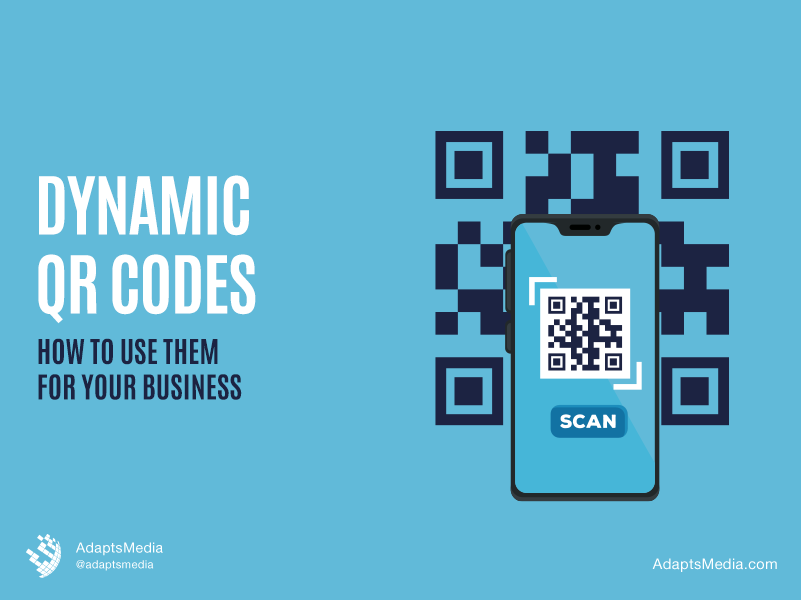
  • What are Dynamic QR Codes and How to Use them for your Business?

    What are Dynamic QR Codes and How to Use them for your Business?

    Quick Response Code, widely known as QR Codes, are becoming an integral part of our daily lives. Even if you’re not aware of what they are, you must’ve seen those square-shaped barcodes at random places in public.  

    QR codes are programmed to design a large amount of information and promote interaction and engagement. All you need to do to access this information is scan the code with an appropriate digital device. Businesses across industries and scales now use QR codes for marketing and advertising purposes. But before we throw light on that, let’s understand how many types of QR codes are there. 

    Types of QR Codes

    There are mainly two types of QR codes, each serving a different purpose. 

    Let’s dig deep! 

    1. Static QR Codes: In Static QR codes, the information within the code is fixed, and you cannot change it once it is functional. The code that displays the information in a Static QR code is embedded into the QR code itself. These codes are fit to contain permanent information. For example, you can use Static QR Codes to store personal information, one-time codes, etc. 
    1. Dynamic QR Codes: Contrary to Static QR codes, you can edit the content as many times as you need. These codes use a short URL to assist users to the desired page that contains relevant information. 

    Which is better – Dynamic or Static? 

    As an entrepreneur, you may want to leverage quick response codes to boost your marketing endeavours by improving communication with your users across all channels. Dynamic QR codes are now being extensively used by businesses owners across industries, while static codes are losing prominence. Let’s understand how Dynamic QR codes can be leveraged for taking a business to the next level. 

    Applications of Dynamic QR Codes:

    As we continue to embrace digital technologies, dynamic QR codes are becoming essential. They are extensively used in the following: 

    1. Touch-Less Services: 

    Nowadays, the use of touch-less food ordering and other services is gaining global popularity. With the help of these QR codes, people can carry out contactless transactions and order food with minimal physical interaction. This has not only made things more convenient for users but is also helping to promote hygiene. 

    1. Personalized Content

    What do you think happens when you scan a random QR code? Obviously, you will get access to the information stored in the core. But apart from that, the QR code has an algorithm that tracks time, location, and the device with which a user captured it. This helps businesses to generate relevant data and deliver personalized content to different people.  

    How to Create a Dynamic QR Code for your Business

    Now that you know the application of dynamic QR codes, let’s understand how you can create them. 

    Step 1: Find a QR code generating software. You can use the free tools available online. 

    Step 2: Choose the type of QR code. In this case, you need to choose a dynamic QR code. 

    Step 3: Add all the relevant information. This is the data that you want the users to see when they scan the code. 

    Step 4: Customize and style your code. Nowadays, dynamic QR codes need not only be black and white lines. You can style it to attract more customers. 

    Step 5: Finally, download the personalized QR code. You should try the QR code yourself before putting it up in any public place. 

    How to Use Dynamic QR Codes in your Business

    Dynamic QR codes serve a myriad of purposes. Let’s understand how these bar codes can help you in your growth trajectory. 

    Here’s what you can do to exploit the many benefits of a dynamic QR code:

    1.) Increase App/Website Traffic 

    If your business uses a mobile application or a website, you can use dynamic QR codes to garner customer attention. An eye-catchy QR code encourages customers to scan it, which eventually redirects them to your website or the download link of your application. Over time, this can generate a healthy amount of profits. 

    2.) Getting Reviews for your Services

    Several studies suggest that customers tend to be more open to the idea of availing services that have great reviews. But, getting honest, positive reviews can be tough! You cannot coax your customers into giving you a review, but you can surely make it more convenient for them. QR codes are easy to scan and saves them the trouble of navigating through their cell phones to give your business a review. A QR code will make their job easier and increase the chances of you getting honest customer feedback. 

    3.) Monitor Statistics

    A QR code is now an integral tool in marketing. It’s now particularly used in advertising. QR codes help businesses store relevant data in the form of statistics that they can use to drive customer engagement by using the data to devise engaging marketing campaigns. QR codes can also help you understand whether you are on the right track to meet your campaign goals. 

    Conclusion

    Dynamic QR code offers versatility and is now playing an integral role in marketing. As the digital ecosystem is gaining momentum, Dynamic QR codes are becoming the need of the hour for improving communication across all channels. They are now helping businesses of all scales take the next step in their marketing roadmap and maximize overall profitability. 

  • Top 7 Structured Testing and Execution Tools (Updated in 2021)

    Top 7 Structured Testing and Execution Tools (Updated in 2021)

    There’s no denying that creating and managing structured data is a challenging task. Any error on your JSON code can prevent validation in Google’s structured data tool. Structured data, widely referred to as Schema, helps Google better understand the content as it seeks to provide the best results to searchers based on their search intent. Structured data immensely help content stand out and capture more clicks and impressions. 

    There are several tools available that help in creating, managing, and keeping structured data up to date.  Here are the top 7 tools which we think can help you get the job done with ease! 

    1. Schema App

    Without any second thought, this is the most comprehensive tool. Schema App is the tool you would prefer if you want to execute, test, manage, and keep your structured data updated. 

    They have an exhaustive library that helps with identifying Schema. Org and connecting data, popular types, and properties. Out of the many features that the app has, you would love how it defines structured data with Wiki. 

    For example, if you are looking to optimize the product pages, the tool automatically finds the Wiki entry to define the structured data. The app also has recommended and required fields to show the attributes necessary to show up as rich results, good reporting, and data highlighter. 

    1. Merkle Structured Data Tool

    You can quickly generate basic structured data, such as an organization or FAQs. Additionally, you can generate Schema for breadcrumb, event, how-to, or job postings, to name a few. After it’s generated, you can test, copy, and add it to your site. The only drawback is that it only lists basic structure types and does not have comprehensive, structured data, vocabulary, and glossaries. 

    1. Hall Analysis 

    This tool is highly efficient in quickly generating structured data, but it’s only limited to local businesses, persons, products, events, organizations, and websites. Besides, you need to copy-paste the code into Google’s structured data tool and test for its validation.  

    1. The RankRanger Structured Data Tool

    RankRanger offers a wide range of structured data types to test. This also includes COVID-19 special announcements. The tool also allows the user to copy, reset, validate, and test the structured data. 

    1. Chrome Structured Data Plugin

    This tool is a must-have if you want to check whether structured data is present on the page as you browse the websites for auditing, research, or collecting any information. The plugin will allow you to test on Google and see if there are any errors or warnings. You can also copy the data in the table for further reference. 

    1. Google’s Structured Data Testing Tool

    You must not forget to check for structured data as a part of on-page SEO. In 2020, Google announced that its structured data tool was being deprecated. The structured data testing tool will help you get the job done with ease. 

    There is no doubt that it’s the best tool to test structured data and check what warnings and errors the tool has for a particular code. All you have to do is either enter a URL or copy-paste the code into it. You would simply love this tool because it helps check the syntax and ensures it’s validating the Schema.org standards. 

    1. Google’s Rich Results Tool

    This is another good tool to check whether a page will support rich results. You just need to enter the URL or code. 

    The most exciting part about this tool is that it offers the option to test with Google’s smartphone or Googlebot desktop. Post the test; it will tell you whether the webpage is eligible for rich results. 

    Google’s Rich Results Tool and Structured Data Tools must be used together to check whether the page is eligible for rich results and if the code has any errors in it. The biggest difference between the Google Structured Data Testing Tool and Rich Results is that the latter can only test approved classes of structured data that directly influence the appearance of search results. 

    How Can Structured Data Boost Your SEO Endeavours? 

    Structured data helps websites take the lead on SERP. It helps drive business results, improve visibility, optimize for voice search, and much more. However, the right tools are essential for creating clean codes that will be validated in Google’s Structured Data Testing Tool and Rich Results Test. These  7 tools will definitely give you the best results. 

    So, time to wrap up the discussion! Please feel free to share your thoughts in the comment section. Also, do let us know if we have missed out on discussing something important that you want us to add. 

  • Google Webmaster Guidelines You Need to Know and Understand in 2021

    Google Webmaster Guidelines You Need to Know and Understand in 2021

    Put no second thought into it that Google’s Webmaster Guidelines are fundamental to achieve success in your SEO endeavours. If you don’t follow the predefined guidelines, the chances are that you may experience either an algorithmic devaluation or manual penalty. 

    In the most extreme cases, your site may be permanently banned from Google’s SERFP. So, it’s essential that you understand the guidelines. 

    Let’s dig deep to understand! 

    Google Webmaster Guidelines 

    Google webmaster guidelines are separated into the following – 

    • Webmaster Guidelines – These are the best practices that you must follow so that your site appears in SERP. 
    • General Guidelines – These are the best practices that will help your site look its best in the SERPs. 
    • Content-specific Guidelines – These are the specific guidelines pertaining to the contents on your site, such as images, videos, and others. 
    • Quality Guidelines – These include all the parameters that you must follow to avoid getting penalized by Google. 

    Now that you know the guidelines you must follow, the next hurdle is to apply those on your websites in a way such it’s compliant with the guidelines. 

    You are Using  Relevant Keywords

    Your site should be easily discoverable. An easy way to determine whether you are using relevant keywords is to compare your content with the top pages and analyse the keywords they have used in their page title and meta description. You can also use SEO tools like SEMRush and Ahrefs to perform a competitor analysis. 

    If your site isn’t ranking for any relevant keyword, you need to perform a keyword research and an in-depth competitor analysis to find a set of keywords that you need to rank for to drive relevant search traffic and increase sales. 

    Your Site is Properly Interlinked 

    Google recommends that every page on your website must have at least one link from another page. Links help establish communication in the online community. You should ensure that the links on your website must be crawlable as this helps Google better understand your site. In the process, avoid using generic anchor texts while creating these links and keyword phrases for describing the outgoing page. 

    If your site has orphaned pages, make sure that at least one link from the site links to every potential pages on the site. And if the page is not a part of your site, either delete it or add a no-index tag. 

    Limit the Quantity of Baclinks on a Page 

    Google recommends not to use more than 100 links per page. It’s always better to have quality backlinks rather than focussing on quantity. As a matter of fact, too many links can adversely affect the user experience. If you have too many links per page, this may induce crawling errors. Ensure to reduce the links per page and have only the quality ones. 

    Use Robots.txt File to Manage Your Crawl Budget 

    Crawl budget optimisation is necessary to ensure that Google crawls your site efficiently and easily. You can optimise your crawl budget through the links on your site and robots.txt. 

    If you see that your website has ‘disallow: / ‘ in its robots.txt file, this means that robots.txt file is disallowing crawling. You can easily solve this by deleting the line. It may so happen that your site doesn’t have a sitemap.xml file directive in the robots.txt file. In this case, just add a directive declaring the location of the sitemap file.

    Create Useful Contents 

    It is evident that Google prefers sites that provide value to users. Before you start creating contents, perform a thorough content analysis to narrow down sites that are information rich in your niche.  This will tell you what other sites are writing about, how they are writing, and the structure they are following while creating contents. If your site is full of short, thin content, it’s time you come up with a comprehensive content strategy.  

    Include the Words that Your Users Might Use to Find Your Pages 

    When performing keyword research, ensure that you have figured out how users search for your site. When conducting keyword research, you must consider your customer’s search intent. 

    Once your keyword research is done, proceed with on-page optimisation. This includes making sure that the pages on your site have the target keyword or phrase so that it’s easily discoverable in SERP. 

    If your site doesn’t have anything but branded keyword phrases, it’s time you perform a thorough keyword research and focus on those with broader relevancy. Include those keywords not only in the main content but also in the meta description and title. 

    Design the Site So That It Has a Proper Page Hierarchy 

    Your site must be organised as per the relevance of the topics. The main topics of the site must be arranged, with subtopics arranged underneath. These are known as SEO silos. 

    There’s no denying that SEO Silos are a great way to organise the pages on a site according to the topics. Ideally, you must create a website architecture relevant to its contents. 

    If your site has pages without much interlinking and proper website architecture, you must create a siloed website architecture similar to that of your competition. This will help improve your organic traffic and ranking as a whole. 

    Make Sure that the All Important Contents are Visible

    While building a website, make sure that the most important contents of your site are visible by default. Your visitors must not be bothered by unnecessary buttons, tabs, and other navigational elements. Google recommends that you must make your information visible in the default page view. 

    So, here are the Google webmaster guidelines that you must know and understand. Unless you are thorough with these, you may earn strict penalties from search engines. Do share your thoughts in the comment section and let us know if we missed discussing something important. 

  • How to Perform a Content Gap Analysis for SEO: A 4-Step Guide

    How to Perform a Content Gap Analysis for SEO: A 4-Step Guide

    It’s 2021, and content is still the king when it comes to SEO. Unless you create engaging content and optimize it for the search engines, it will be difficult for you to rank the web pages and improve the search visibility. The golden rule of creating engaging content is to conduct a content gap analysis in the existing content. 

    This will help you formulate strategic content ideas to generate more inbound traffic, convert visitors into customers, and provide value to the target audience. We have provided a step-by-step guide to perform an effective content gap analysis and boost your SEO endeavors. 

    Let’s first understand what a content gap analysis is anyway.

    What is a Content Gap Analysis?

    A content gap analysis involves analyzing the existing content and finding potential room for improvement. The method involves identifying the existing content pieces that must align with the various stages of the target audience’s buyer’s journey. 

    Analyzing the existing content will enable you to understand where you need to improve and how you could effectively guide the readers to drive profitable customer actions. 

    A thorough content gap analysis would include an audit of the following – 

    • Webpages.
    • Blogs.
    • Social media posts.
    • Landing pages.
    • Ebooks.
    • And other content assets that you might have.

    There’s no denying the importance of a content gap analysis to find loopholes in the existing content strategy. This will help you take adequate measures to fill them and drive more inbound traffic. 

    Mapping the Content to the Buyer’s Journey 

    Needless to mention that not every visitor would make a transaction. It may so happen that they looked for some information, compared other options, or just checked out the price. So, you must create content for every part of the buyer’s journey. 

    It has been found that most brands create informative contents (like blog posts and case studies to attract audiences) and money pages to convert those visitors into buyers. But as a matter of fact, this creates content gaps, as it will fail to lure potential customers who are still in the consideration stage. A thorough content gap analysis will help you identify whether you have content for all four stages of the funnel, that is awareness, consideration, decision, and success. 

    Awareness pages must target keywords related to any problem that your customers might be facing. The content should address this problem and offer valuable information. At the consideration stage, people compare various solutions to their problems. They might prefer to read comparison guides and reviews. 

    The decision stage is the money pages, that is the sales and the services pages. These pages are the final checkpoints before any user decides to make a purchase. Finally, the success page content assures the customers that the products will meet their expectations. This can be a ThankYou page or just an email asking them to leave a review. 

    A content gap analysis will help you identify whether you have content at every stage of the buyer’s journey on your website. 

    4 Steps to Perform a Content Gap Analysis 

    Here’s a step-by-step process to find gaps in your content and fill those with an effective content strategy. 

    1. Map Your Buyer’s Journey 

    The first thing you need to do is analyze the steps that your target audience needs to take from stage 1 of the funnel to the final stage. Take some time to understand your audience’s questions, the options that they might consider, what they would prefer to buy, and the CTAs that would likely compel them to contact you. 

    1. Conduct a Thorough Market Research 

    A proven strategy to develop exciting content ideas that align with what your audience wants is to ask them directly. You can try conducting a market research survey to understand what your customers are looking for. This feedback will help you formulate your website content strategy. You can use Google Forms to create a survey and send your target audience. 

    1. Analyze the Existing Content on Your Websites

    It’s essential for you to publish content on your website that perfectly aligns with the buyer’s journey of your target customers and doesn’t have gaps for your potential customers to fall through. Crawl your website and determine how they are aligning with each stage. Then, you can determine whether there are any content opportunities that can help bridge the gap between one stage and another. 

    Another effective strategy to find content gaps in your site is to use SEO tools and analyze what keywords your site is already ranking, and related keywords that you may not be targeting with the existing content. You can take advantage of these opportunities for maximising the traffic and solidifying the content funnel. 

    1. Analyse Your Competition’s Content

    Analyzing what the competitors are doing and comparing it with the existing content of your site is a very good strategy to find content gaps. If your competitor’s funnel is similar to yours, try to understand the content they have created to direct visitors from one stage to another. 

    Ultimately, try to understand where you might have cracks so that you can create more exciting content than what your customers have already written. You can use SEO tools like SEMrush and Ahrefs to see what keywords your competitors are ranking for and how you can align these with the existing new content ideas.

    A content gap analysis primarily involves carrying out a detailed analysis of what you have and then formulating a content strategy that meets users’ multiple touchpoints. This way, you will have all the content you need to convert even a cold lead into a paying customer. 

    So, that’s how you can conduct a content gap analysis for SEO. Please share your thoughts on it and let us know if you think we have missed out on discussing any. Till then, best of luck with your content strategy! 

  • 3 Time Tested Strategies for Quickly Comparing

    3 Time Tested Strategies for Quickly Comparing

    If you want to rank on the top pages of SERP, you must be aware of how to do an in-depth competitor analysis. There’s no denying that the challenges and obstacles to making it to the top pages are continuing to grow. Competitor analysis has thus become the need of the hour for every website owner. 

    Even though there have not been many changes in Google webmaster guidelines over the years, the core algorithm has undoubtedly gone through many updates. The introduction of Knowledge Graph, Hummingbird, Rank Brain, BERT, and SMITH algorithms has made it compelling for SEO professionals to abide by all search engine guidelines and adopt only White Hat techniques.  

    Here are three tips that you could follow to compare your site to that of the competition to analyze where and how you could improve your SEO endeavors. 

    So, let’s dig deep!

    1. Evaluate Your Competition’s Website Technology 

    It’s essential to have a fast, easy-to-use, and easy-to-crawl website. There are no fixed guidelines on the technology to be used while building a website, but if you are building a new website, it’s better to analyze your competitors. Try to gather information on there – 

    • Analytics and tracking.
    • Widgets.
    • E-commerce.
    • Frameworks.
    • CDN.
    • Mapping.
    • Mobile.
    • Payment.
    • A/V Media.
    • CMS.
    • JS libraries & functions.
    • Advertising.
    • Verified links.
    • SSL Certificates.
    • Web hosting providers.
    • Name servers.
    • Email hosting providers.
    • Web servers.
    • Operating systems & servers.
    • Syndication techniques.
    • Webmaster registration.

    Furthermore, you should understand your competitor’s website architecture as it would help you establish parent and child page hierarchy and narrow down the content gap. The best way to do this is to create a competitor analysis sitemap. It’s also essential to pay attention to the core web vitals. This includes but is not limited to page speed, Chrome UX report, Search Console, and Lighthouse reports. 

    1. Perform an Audit of Website Content

    Here is how you can perform a competitor analysis on the web content – 

    • Narrow Down the Organic Keywords

    It’s a mandate to develop the right list of keywords. In all probability, your competitors have already invested a lot of time conceptualizing a keyword strategy. You can try using Ahrefs for keyword analysis. Ahrefs has a huge database of search rankings by the website. Ahrefs makes it extremely easy to determine which phrases would be difficult to rank or has the maximum potential to drive traffic. Besides keywords and rankings, they also provide a list of top-ranking pages. 

    Before finalizing the keywords you intend to rank on, you must consider the search terms your competitors are already ranking for, the opportunities they are missing, and obviously, the content gaps. This is a great strategy that would help you find the keyword and business opportunities. 

    • On-page Optimization 

    Google may not be excessively dependent on meta tags since the Knowledge Graph update, but it’s always better to have a clear roadmap at the disposal of both users and search engines. 

    A great strategy is to analyze how your pages are performing against the competition. Try using a Webpage Similarity Comparison Tool. The tool will give you a detailed comparison of the page title, meta description tag, keywords, text and word count, and top keyword phrases. 

    1. Analyze Competitor Backlinks

    Gone are the days when the number of backlinks played a crucial role in SEO. With Google’s Penguin update, the quality of links matters over quantity. Google now penalizes all the irrelevant backlinks obtained through backlink mining. You need to be careful about the inbound link you are looking to obtain. Determine if it’s worth the effort required to obtain and the relevance it holds to your niche. You can again use Ahrefs to analyze the links that your competition has already built. 

    Content and backlinks will remain the crucial aspects of Google algorithms. That’s why it’s essential to understand and neutralize any advantage that your peers might be enjoying.

    So, here was a detailed guide on you can quickly compare your website with your competition. If you feel we have missed out on discussing something crucial, please feel free to comment below. 

  • A Detailed Analysis on Cookie-Less World

    A Detailed Analysis on Cookie-Less World

    In January 2020, Google announced that it plans to phase out support for all third-party cookies in its flagship browser Google Chrome. Within the next two years, all major search engines, such as Google Chrome, Safari, and Firefox will block the use of third-party cookies. 

    There is no denying that this will completely alter the landscape of digital advertising, as it now completely relies on third-party cookie data for data personalisation. Marketers will have to adapt to these data personalisation solutions while strategising their marketing campaigns. 

    So, what’s a cookie, anyway? 

    What are Cookies? 

    Cookies are small pieces of code that are placed into a user’s browser when they visit a website. Cookies usually contain two pieces of information – the name of the site and a unique user id. They sometimes also capture details such as website configuration, (for example language and preferences) login details, and products added to the cart. 

    What are First and Third-Party Cookies?

    First-party cookies are those cookies that are owned, stored, and dropped by the website domain visited by the users. These cookies are used by the website owner for collecting analytical data, remembering preferences, and providing personalised experiences. First-party cookies will still be there and search engine giant Google has no plans to phase them out. 

    Third-party cookies are created and stored by organisations besides the one that the user is visiting. These cookies are dropped by the website but are not stored or owned by the website or its parent organisation. 

    Third-party cookies are also used for cross-site ad tracking, wider audience profiling and targeting, and personalisation in advertising. Google plans to phase out third-party cookies on its Chrome Browser, starting in 2020. They have already been blocked by default within Safari and Firefox. 

    How are Cookies Used for Marketing Purposes? 

    Cookies are strategically used to collect user data, both on the aggregate and anonymised level. This includes, clicks on the page, pages the user viewed, engagement elements, and also device IDs, names, addresses, passwords, and credit card numbers. 

    All types of cookies have only one goal, which is to provide a targeted experience or a personalised experience to the users. These are then used to make data-driven decisions, such as the user experience and design of the product. 

    First-party cookies help understand the behaviour of the visitors and remember their preferences to provide them with a tailor-made experience. First-party cookies also remember the contents you bookmarked, the articles the users read, or the progress of a video that you were watching. Marketers can use this data to personalise the website content. 

    First-party data collected by first-party cookies are often shared with or sold to other organisations as third-party data. Businesses can benefit from these aggregated data collected by third-party cookies if first-party cookies are non-applicable. However, it is to be noted that not all third-party audience data is generated through third-party cookies. 

    Organisations, in such a circumstance, can gather granular user data using first-party cookies within the websites. They can then aggregate the data within audiences and sell it to marketers for targeting and personalisation of marketing campaigns. 

    What are the Benefits of Using Cookies? 

    Both first and third-party cookies help marketers personalise the experience of the visitors with the content they engage in the most. Cookies ensure that when a user visits a website, they don’t have to alter the language or any other setting that they have personalised when they visited the website last. 

    Marketers also allow businesses to target users through paid advertising channels with products and messages that are relevant to individual interests. They also use these data to build an in-depth consumer profile so that they can better target the users with advertising and understand the performance of the adverts in general. 

    What will be the Main Implication of this Change? 

    Digital publishers generate a large portion of their revenue by partnering with third-party data providers who collect data via their pages. Once there is a ban on third-party cookies, this will no longer be possible. This will result in a large loss of revenue for digital publishers in the short term. 

    What Can Marketers Do? 

    Here are 5 steps that marketers can take in the cookie-less world to be well-positioned when Google’s cookie-less restrictions are finally implemented – 

    1. Embracing Media Mix Modelling 

    Despite the fact that it lacks the post-view granularity that comes with cookie-based targetting, media mix modelling is the next best option that can be implemented. It helps advertisers optimise their digital media buying. One of the effective strategies to leverage media mix modelling is to strategically use the metrics provided by Google and other major platforms. 

    1. Building Own Customer Data Platform

    This can be a great strategy to thrive in the cookieless world. It’s high time for businesses to start building their own data sets, in the next 12 to 24 months. They can build and centralise all the data that they have collected, including legacy and third-party data, in a single go-to internal repository. 

    The centralised database must have phone numbers, emails, geographic locations, over-the-top IP addresses and other key customer identifiers that combine to form a distinctive identification. 

    1. Adopting Alternatives to Cookies

    It’s expected that tools to identify and track users, while providing additional privacy protections will be developed, before or shortly after Google phases out third-party cookies. Adopting these alternatives to cookies can boost digital marketing endeavours. 

    1. Strengthening Relationships with Google, Facebook, Apple, and Amazon

    Brands are going to rely more on data provided by the dominant publishers. One way to leverage the power of data is to implement strategies to consolidate digital spending and ensure that major platforms like Google share additional insights about visitors. 

    1. Educating the Entire Organisation

    Not every department of the organisation will understand the implications it could have in the digital eco-space once Google decides to phase out third-party cookies, starting from ad spending to business development initiatives. 

    Marketing departments must partner with ad tech partners to educate the stakeholders that cookieless tracking will soon be the future. They must explain to them how it would impact digital marketing activities and how analyzing and tracking would progress. 

    So, here was a detailed analysis of the cookie-less world and its implications on marketers. We have also shared detailed insight into what they can do once Google phases out third-party cookies. Do let us know in the comment section how well prepared you are for the cookie-less world and what measures you intend to undertake once it’s implemented. 

  • Top 7 Digital Media Trends to Be Aware of in 2021

    Top 7 Digital Media Trends to Be Aware of in 2021

    The COVID-19 pandemic has significantly transformed how businesses operate. At one time, artificial intelligence, data-driven marketing, and voice search engine optimization were considered ambitious; today these digital marketing strategies are the priorities of every marketer. remove  “in 2021” 

    In this decade, where technology is playing a crucial role in influencing a buyer’s purchasing decision, it has become essential for every business owner to work in tandem with modern-day consumer behavior. 

    In this blog, we shall divulge the top 7 digital marketing trends in 2021 that you can’t ignore. 

    1. Artificial Intelligence 

    It’s high time you realize the significance of artificial intelligence in marketing. 2020 witnessed a massive adoption of artificial intelligence across industries. The trend is expected to surge further.  

    Artificial intelligence can effortlessly analyze the consumer behavior and search patterns of the target customers, and use the data gathered from various sources (social media, for example) to help businesses understand how customers find their products and services and also their opinions on the same. 

    The best example of AI in practice is chatbots. Mastercard successfully created a Facebook messenger bot that leverages natural language processing software to detect and decipher what the customer wants and respond as if they are chatting with a real person. 

    A study by Gartner predicts that artificial intelligence will soon be implemented in basic communication, product recommendations, content creation, e-mail personalization, and e-commerce transactions. 

    1. Chatbots

    There’s no denying that the use of chatbots will surge and it’ll continue to be an integral part of digital marketing in 2021 and beyond. This is again an AI-based technology using instant messaging to chat in real-time when your customers visit your site or use the mobile application. According to a survey, almost 85% of businesses in customer service will be powered by chatbots by 2021. 

    Another survey revealed that many customers prefer communicating with chatbots as they are responsive whenever they need to know something. The primary reason is that they give prompt answers, recall the entire buying history, and patiently respond to all user queries. Chatbots are also known to offer exceptional customer service as they meet all the expectations of visitors and automate repetitive tasks. 

    1. Conversational Marketing 

    Conversational marketing is slowly picking up pace. People prefer a conversational touch and brands are reciprocating. According to a study, when customers want to know about a product/ service, almost 82% of them want an immediate answer. Experienced marketers are of the view that conversational marketing facilitates a one-to-one, real-time connection between marketers and customers. 

    The best part about conversational marketing is that, unlike traditional strategies, it’s applicable across multiple channels, allowing brands to meet each customer’s specific needs. The primary goal is to improve the user experience through a feedback-driven model that focuses on higher engagement and greater loyalty. 

    1. Programmatic Advertising 

    Programmatic advertising is directly proportional to AI. It implies using AI to automate ad buying so that you can streamline your target audience. Real-time bidding, for instance, is a type of programmatic ad buying. The process being efficient and consuming less time, the conversion rate is significantly higher, and that too, with lower customer acquisition costs. 

    1. Personalization 

    If you want your brand to stand out from the crowd, you must adopt personalization marketing. This means you need to come up with personalized content, products, e-mails, and much more. 

    A study revealed that 63% of customers get irritated with generic advertising blasts and 80% believe that they want to do business with a company if it’s offering personalized experiences. Netflix and Amazon are classic examples that offer personalized experiences with tailor-made recommendations of their products.

    1. Influencer Marketing 

    Influencer marketing is a form of word-of-mouth marketing that involves utilizing the appeal of knowledgeable individuals of the industry for amplifying a brand’s message. These individuals are well-known celebrities on Instagram or YouTube with a huge following. The goal is to capitalize on the following of the individual and spread the word about the product through social channels. 

    Influencer marketing will also be affected by artificial intelligence. With each year, AI is helping businesses find suitable influencers, as per the need of the product. This helps reduce the time needed for collaboration and understanding the product. Advanced AI-powered tools are helping businesses identify influencers with better engagement, fewer fake followers, and a higher chance of generating a positive return on investment (ROI).

    1. Video Marketing 

    Video marketing is unarguably one of the most sought-after marketing trends, which is likely to stay at least for the next 5 – 10 years. It’s not just limited to YouTube; there are several strategies through which you can drive higher engagement through video marketing. You can make a video post or start a live broadcast on Facebook, Instagram, or LinkedIn. 

    One of the biggest challenges that marketers these days face is the rapid shift to hand-held devices, such as cell phones and tabs. Gone are the days of long-form sales pages and e-mails as they are not easy to read on small mobile screens. A video with a proper storyline can present the same information that works perfectly, no matter the device. A study stated that if your site has video content, the probability of converting organic traffic into paying customers increases by up to 50%. Another exciting thing about video marketing is, it’s quite easy to reformat your content. So, here was a definitive guide to the seven most popular digital marketing trends you can’t ignore in 2021. Change is an integral part of digital marketing, so it’s essential to embrace the changes to have an edge over competitors.