Tag: search engine optimization

  • Importance of Data Analytics in Digital Marketing: Measuring Success for Optimal Results

    Importance of Data Analytics in Digital Marketing: Measuring Success for Optimal Results

    In today’s competitive business landscape, digital marketing has become a cornerstone for businesses looking to gain a competitive edge.

    Unfortunately, nowadays, success and advancement need more than just an internet profile. To stand out in a crowded marketplace, businesses must measure and optimise their digital marketing campaigns along with planning their marketing strategies using data analytics.

    Data Analytics is particularly crucial for businesses with higher stakes and the sales cycle elongated.

    In this blog, we’ll explore the significance of data analytics in digital marketing and how it can be used to measure success for optimal results.

    Understanding Data Analytics in Digital Marketing

    Data analytics is a multifaceted process of collecting, analysing, and interpreting data to drive informed decisions. In digital marketing, data analytics is utilised to evaluate the performance of campaigns and make data-driven decisions for future marketing strategies.

    The process involves collecting data from various sources, such as website traffic, social media reach & engagement, email open rates, and much more, and analysing it to gain insights about customers’ behaviour and create targeted campaigns that are more likely to resonate with their audience resulting in quality lead generation.

    The Significance of Data Analytics in Digital Marketing

    Data analytics is crucial for the successful optimisation of digital marketing campaigns. Without it, businesses would operate without any knowledge of what works and what doesn’t.

    Having an understanding of what works through data analytics enables businesses to measure the success of their campaigns, make data-driven and informative decisions, and improve their strategies to meet business goals.

    By understanding customer behaviour, businesses can create targeted campaigns that are more likely to resonate with their audience and drive results.

    Key Performance Indicators (KPIs) in Digital Marketing

    Key Performance Indicators (KPIs) are the measurable metrics used to assess the success of B2B digital marketing campaigns. KPIs vary depending on the campaign objectives but can include website traffic, social media boosting, brand awareness, lead generation, and more.

    Choosing KPIs that align with business goals and are measurable enables progress tracking and aligns business goals with business operations.

    Tools for Measuring Campaign Success

    Several tools are available in the market to digital marketers for assessing the efficacy of their initiatives,

    • Google Analytics is among the most favoured tool for tracking website traffic and engagement. 
    • Social media analytics tools like Hootsuite and Sprout Social enable businesses to track social media engagement. 
    • Email marketing platforms like MailChimp and Constant Contact offer analytics to track open and click-through rates. 
    • Paid advertising platforms like Google Ads and Facebook Ads also provide analytics to measure campaign success.

    Contact Adapts Media, the best Online Marketing Agency in UAE, to Partner with a team of competent professionals for 360 marketing solutions.

    Interpreting Data

    Data collection is merely the first step. Businesses can’t make solidified judgements regarding future advertising without properly interpreting data.

    Understanding what works and what doesn’t may be learned through analysing data for patterns and trends. With this information, marketers can fine-tune their strategy, zero in on their ideal audience, and improve the performance of their content.

    Continuously Optimising Your Campaign

    Digital marketing is a continuous process that requires ongoing improvement. By analysing and evaluating campaigns regularly, businesses can identify areas for improvement and adjust their strategies accordingly. Being agile and adaptable is essential, and always looking for ways to improve campaign performance.

    Conclusion

    Data analytics is a critical component of Digital marketing. By measuring the success of campaigns and making data-driven decisions, businesses can create targeted campaigns that drive results.

    Choosing the right KPIs, using the right tools, and interpreting data correctly is key to optimising campaign performance and delivering data-driven and performance-oriented approaches.

    Adapts Media is a leading Digital Marketing Agency in Dubai, providing SEO, SMM, SEM, and PPC services in Dubai. Being awarded as the Best for Creative Digital Marketing Agency 2022 by Lux hospitality awards.

    Don’t miss out on the opportunity to gain a competitive edge. Contact our team for expert assistance.
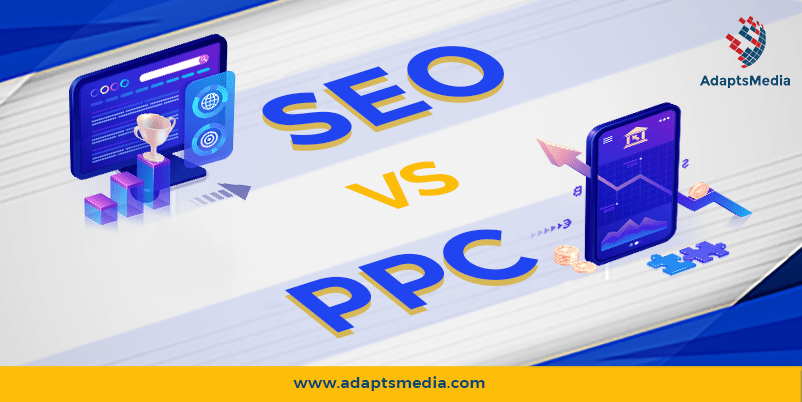
  • SEO Vs. PPC – Which One Should The Companies Go For And Why?

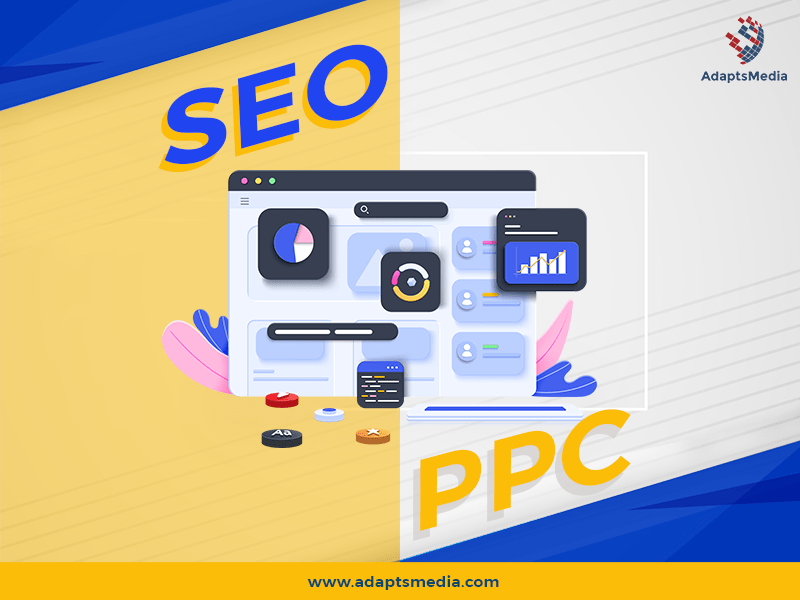
    SEO Vs. PPC – Which One Should The Companies Go For And Why?

    The traffic is the heart and soul of the website. Having a large number of visitors to your website will help your business succeed. But that’s not the only thing, as balancing the cost, operations, and outcomes of a marketing campaign are equally important things to consider. To address and work on such approaches, generally, one of two marketing strategies are followed- 

    1. Search engine optimization (SEO)
    1. Pay-per-click (PPC) campaigns. 

    But that’s not the end; people often get confused as to which is better between these two. If you have similar concerns, know that the answer is totally based on your business type, objectives, and the market. There are a few things to consider, so let’s take a look at the distinctions between SEO and PPC and when each should be employed.

    How Do Search Engine Optimization & Pay-Per-Click Advertising Work?

    The end result can be equated to bringing profits to the business by increasing sales; however, the approach, way of targeting people, and so on differs! SEO is a technique that improves your website’s rankings on search engines. This can be Yahoo, Google, Bing, or any other. The purpose of an SEO strategy is to curate content and generate traffic to web pages abiding by the search engine’s ranking parameters.

    Whereas PPC or pay-per-click is an advertising type (a part of search engine marketing or SEM) in which an advertiser pays a publisher (for example, Google or Facebook) for each ad click. Businesses may pay when customers interact with their advertising using this technique. PPC (pay-per-click) advertising is a way to get your content in front of a specific audience (whenever they search for specific keywords on the internet).

    What Should You Choose for Your Business? SEO Or PPC

    Honestly, It Depends!

    None can claim that PPC is superior to SEO, or vice-versa, as both are worthy traffic sources. However, there are times when one technique makes more sense than the other.

    1. Your Product Speaks For Itself.

    If you want to generate organic traffic, you’ll have to target items people are currently looking for. Here going for SEO can be a great idea. However, if you’re creating a revolutionary business with an innovative product, no one will be seeking it. So at this juncture, going with Social PPC would be more promising.

    2. You’re getting ready to introduce something new or have a limited-time deal.

    Are you getting ready to launch a Pilot project campaign or marketing for a one-time campaign? Here, unfortunately, SEO won’t be the best option, as it would take time to bear fruit. It’s possible that your event will be over before you even begin rating. In this instance, PPC or other such channels may be appropriate.

    3. You’re promoting a commercial product.

    People, in general, do not want to connect to commercial material such as landing pages. PPC is also a fantastic alternative if you need fast results because it may direct users to a certain landing page.

    4. You’re creating certain websites having the goal of selling something.

    Here, SEO can be your crown while the content within it is the King. It is because it eliminates the need to monitor the campaign constantly. When compared to PPC, it takes less work to rank in Google for your chosen keywords. Being in the first place implies that more and more people will automatically link to you as time passes. Your ranks, in most probability, will stay the same since links connect with rankings. So at this juncture, going with SEO would work better.

    So go For Search Engine Optimization when you want to increase your brand’s authority or have a limited marketing budget. Also, SEO is a good option if you want to create content that appeals to your audience at various stages of the sales funnel. 

    Go For PPC when your product is unique or one-of-a-kind, and also when you’re looking for fast outcomes. If you want to send people to a sales or landing page or advertise a limited-time promotion, go for PPC.

    When In Doubt, Combine The Two.

    You can be in a scenario where you want to achieve both long-term and short-term objectives. Alternatively, you may seek to maximize your brand’s productivity with PPC while waiting for your SEO approach to impact.

    Using both SEO and PPC together will help you benefit from both techniques. This is especially successful since one technique tries to compensate for the faults of the other. 

    PPC advertising, for example, permits a large number of individuals to view your brand/business/product. However, they will not assist you in ranking for high-profile keywords like SEO will. Keep in mind that you can apply both tactics at the same time. You’ll probably reach figures you never imagined were possible!

    Bottom Line

    Understanding the fundamentals of SEO and PPC is the first step toward a successful digital marketing strategy. You’ll be well on your way to selecting the best strategy for you if you understand the benefits and disadvantages of each of these techniques. Also, always remember that you can combine these awesome strategies at once.

    If you want to learn more about how Adapts Media can assist you with establishing your social presence, then contact us today and learn more about what we can do for your brand, business, and identity!

  • How Can You Analyze Your Bounce Rate and Improve It For SEO Success?

    How Can You Analyze Your Bounce Rate and Improve It For SEO Success?

    Do you post regular content but still don’t have a high dwelling time? Do your visitors bounce back in a few seconds? Well, then that’s a clear sign of a high bounce rate! 

    Bounce rate in digital marketing is the standard of measuring how much an audience is engaging with a particular website. In simple words, if the viewers come to your website and leave only after visiting one webpage, your bounce rate is high. On the other hand, if they keep navigating from one page to another, that means they are engaging with your website. In this case, your bounce rate is low. But which one should you strive for? 

    Contrary to popular belief, high is not always good, especially in the case of bounce rate. Imagine a huge number of people visiting your website want to check out one new product or maybe a blog post, but they leave immediately. Though you have a huge audience, the high bounce rate makes your business vulnerable. So, your bounce rate must be as low as possible. Generally, a normal bounce rate looks like anything between the 50s and 70s, and anything beyond 70 is considered high. Website owners generally try to keep it below the 50s to ensure the best bounce rate.

    What is the cause of this problem?

    A high bounce rate can be a result of several problems. Here are some of the general issues that lead to a higher bounce rate.

    • Slow loading page

    When Google itself is working on providing the best and faster experience to its users, you can understand how much impact the slow loading speed will have on a website. Users today wouldn’t want to wait for several minutes for a single webpage to load on their screen. Thus, this is one of the most common causes of a higher bounce rate. 

    • Misleading Meta information

    Meta Description and Meta Title play a significant role in gaining users’ interest. If, after visiting your site, they find the original content to be different than that of the Meta Title and Meta Description, they are sure to leave, raising your bounce rate.

    • Un-optimized and irrelevant content

    Content plays a crucial role in making and breaking your website’s impression on the viewers. If your content is not up to the mark or isn’t optimized correctly, there’s no reason your audience will spend time on your website.

    • Bad UX experience

    If a visitor is bombarded with unwanted ads, mailing subscription pop-ups, etc., it ruins the visitor’s experience. Instead of making the navigation easier, these make it more difficult for them to stay on your site for long, even if the content is attention-grabbing. Not only this, missing essential features like search options, proper tabs, etc., can also impact a user’s browsing experience. All these problems lead to a higher bounce rate of your website.

    • Non-dynamic website 

    A website must be dynamic and responsive to meet the present-day needs of visitors. As users spend most of their time on their phones, if a website is not mobile-friendly, chances are they are not going to engage with it. Often websites do not follow this rule and thus have higher bounce rates. And with the upcoming developments from Google, it is evident that the leading search engine is putting more emphasis on smartphones with passing time. So, it is assumed that more websites will face the problem of higher bounce rates if they don’t meet the accessibility criteria.

    How to check and calculate the bounce rate of your website?

    Bounce rate and fix it

    Though technicalities like these seem to be a daunting task for many, in reality, it is not that difficult to check your website’s bounce rate with Google Analytics. Not only that, with Google Analytics, you can also look for other information related to your website’s performance. All you need to do is get familiar with the terms and their purposes before you jump into the technical part.

    Follow these steps to check your website’s bounce rate without any problem:

    1. Sign in to the Google Analytics page from your website.
    1. From there, select the Audience Overview tab. Here, you can choose if you want to know the overall bounce rate of your website or target single pages.
    1. If you want to see the overall report, click on the bounce rate metric, and a graph will show the rate for s particular period. The time frame can be changed according to your need. On the other hand, if it’s a single page you want to assess, you need to click on the ‘Behaviour’ and then select ‘All pages,’ and all the web pages will be shown.

    Usually, the bounce rate is calculated by dividing the single page session by the number of total sessions.

    What is a good bounce rate?

    While different types of websites have different standards for a good bounce rate, according to a survey by Rocketfuel, these are the general standards in the current times:

    • 25% and lower means your website needs repair as something might be broken.
    • 26%-40% means your website is in excellent condition.
    • 41%-55% means your website is in average condition.
    • 56-70% is not so great, but it is a good rate for some websites with affiliate pages.
    • More than 70% means your website requires repair and maintenance.

    How to achieve a good bounce rate?

    A high bounce rate has a significant negative impact on the overall performance of your website. But with proper strategy, you can reduce its rate for better SEO performance. Here are some of the ways to do it:

    • Improving the readability of the content is the first step you should take to lower the bounce rate. Even if your writing is the best, lacking a proper format will make it difficult for the readers to stay engaged. So, focus on ensuring the written content has proper formatting.
    • As mentioned above, pop-ups are a debatable topic among the users and the marketing team. While publishing more ads can be the marketing team’s goal, overdoing it will rather be a problem for your website as it would disrupt your audience’s attention.
    • Call-to-actions are important. A catchy call to action can do wonders for your website. It increases your audience’s dwell time and influences them to engage with you in many ways.
    • Knowing which keywords to use and which to discard is a delicate art. When used correctly, keywords can bring traffic to your website and increase engagement. So, always look for keywords that match the content of your website and have high-performance rates.

    Parting Words

    We know how much effort goes into making and sustaining a website, so it feels disappointing when it doesn’t manage to have a low bounce rate only because of mistakes you didn’t even know you were committing. We hope this article gave you a clearer idea of how bounce rate works and how you can achieve the desired rates for your website and ensure SEO success. Best of luck! 

  • The 6 Most Harmful Mobile SEO Mistakes to Avoid

    The 6 Most Harmful Mobile SEO Mistakes to Avoid

    Mobile SEO is the art and science of optimizing a website to give mobile and smartphone users the best page experience when they search for any query. Unfortunately, despite being the need of the hour, people are still making many mistakes when it comes to mobile SEO , resulting in loss of traffic, poor search rankings, and ultimately loss of revenue. 

    Developers make routine changes in the search algorithm to give users the best possible search experience. As more and more people started accessing the internet through their smartphones, the developers changed the algorithm to favour mobile-friendly websites. 

    The world of SEO underwent a tremendous change when Google announced the switch to mobile-first indexing. Historically, indexing involved using the desktop version of a page’s data. But as more and more people started accessing the internet with their smartphones, the change was inevitable. 

    So, what did it mean for website users?

    It implies that even if your website’s content is fresh and attractive on desktops, your website won’t succeed in making it to the top pages unless it provides a good experience to mobile users. 

    What are the Most Common and Harmful Mobile SEO Mistakes?

    Judging by the current market scenario, webmasters need to start optimizing their site to make them mobile-friendly. Not doing so may damage their customer engagement, lower their search rankings, and prevent their businesses from performing at their maximum potential. 

    In this article, we’ll list some of the top mobile SEO mistakes you are prone to making.  

    1. Not Making Responsive Websites

    Since the announcement of mobile-first indexing on June 1, 2019, the need for designing responsive websites has become greater.

    So what are responsive website designs? Responsive websites are capable of recognizing when the visitors are using smaller platforms to view their content. In addition, they can distinguish between visitors using small and big displays while they attempt to access the website’s information. With the help of this information, responsive websites can optimize the visitor’s page experience by adapting according to the platform that the visitors are using. 

    The impact of having a mobile-friendly website in the modern business scenario can be huge. Customers often interact and engage with businesses through their online websites – where they make orders, browse products, and interact with the business. 

    They may do so using smartphones, tablets, laptops, or desktops. Your website, therefore, must be responsive so that it can display its content according to the device that the customer is using. 

    2. Not Optimizing Site Speed

    Google announced their Core Web Vitals update back in May 2020. The metrics that they will be using revolve around the speed of a web page. With the new update about to come into effect, the need to have faster site speeds is greater than ever. 

    Reports suggest that more than half of the surfers on the internet will not wait for a web page to load if it takes more than 3 seconds. So if your website is slow, then you can lose a lot of potential customers. This will put a huge dent in your business’s overall performance. 

    So what can you do to improve your site’s speed? Let’s find out. 

    • Resizing and Compressing Images: The images you use on the website are often the largest element of the page. Resizing and compressing them using image compression tools can provide a much-needed boost to the website’s loading speed. 
    • Avoid Redirects: While redirects may not be particularly harmful to your website’s SEO, they may prove to be bad for your site speed. Eliminating redirects will not have to waste their time waiting for unnecessary HTTP request-response procedures to complete. 
    • Improve Your Website’s Codes: Optimizing the website’s codes and simplifying different elements of CSS and JS are some necessary steps that you should take to make your website clean and concise.
    • Optimize Server Response Time: Many factors determine a website’s response time. This includes the amount of traffic it receives, its content, and even the hosting company the owner is using. You can start optimizing your server response time by fixing slow database queries, routing issues, or a scarcity of adequate memory. 

    3. Mobile-Specific Keyword Research

    We all know how important keyword research is for SEO. However, as we’re moving from desktop indexing to mobile-first indexing, we need to change how we conduct our keyword research as well. 

    Proper keyword research in mobile-first indexing is essential as it can improve your website’s rankings on SERP. But keyword research for websites that are targeting mobile users is a bit different from traditional keyword research. 

    Mobile users primarily use two-thumb typing for their searches and, therefore, use shorter terms. But, on the other hand, they may use long-tail keywords when they’re using voice commands to carry out their searches. 

    Either way, doing thorough mobile-friendly keyword research is essential, especially now that mobile-first indexing is trending. Not doing so will affect your SERP rankings and overall customer engagement drastically. 

    4. Having a lot of Interstitials

    Intrusive interstitials are the annoying pop-ups, banners ads, and other floating things that you often see on a web page. They cause a layout shift on the page, making it difficult for the user to access and interact with the relevant information. 

    These interstitials, therefore, reduce a website’s Cumulative Layout Shift (CLS) score – one of Google’s new core web vitals. Google’s algorithm penalizes a website with too many intrusive interstitials as they ruin the users’ experience. So, if your website has intrusive interstitials, Google will not promote your website on SERP. Getting rid of these annoying inhibitions is necessary to increase your website’s performance and rankings.

    5. Poor Website Layout

    Your website’s layout might look proper on desktops but might not be fully accessible on the phone. In other words, your website’s design should look attractive and function properly on mobile devices as well. 

    If your website’s design does not offer a great user experience to mobile users, it will affect your engagement and rankings. Because of mobile-first indexing, Google will crawl your site’s mobile version on priority. So if the flaws in designs are apparent, your website won’t be preferred by its algorithm. 

    You should, therefore, design your website’s layout preferring small-screen devices. Avoid using fancy and unreadable fonts and make sure the font size is appropriate and is not cluttering the web page with too much information. 

    Additionally, the interactive elements of your website, such as buttons, should be large enough for the visitors to spot and use without any difficulty. Finally, while designing your layout, you’ll need to think like a customer and weed out all the errors you are making. 

    6. Having Blocked Files on your Website

    When there’s a huge difference between your mobile site and your desktop site, your mobile site could have some missing content or files. In such cases, when GoogleBot crawls your website, it will detect all the elements that are not available on the mobile site. 

    The bot can also detect the restrictions on CSS and JavaScript while crawling your mobile website. Because of these restrictions and blocked files, Google won’t be able to render your website properly. This implies that Google won’t be able to read or understand your website to its fullest. This, in turn, could have a huge negative impact on your SERP rankings.  

    An easy fix for this grave problem is consulting your “robots.txt” file to ensure that there is no blocked or disallowed content on your website. After that, you can run mobile-friendly tests to ensure that there are no missing objects on your mobile site. 

    Conclusion 

    It is really painful to realize that even after spending a considerable amount of time working on your website’s SEO, you are not getting desirable results. A lot of times, the underwhelming results could be because of the mobile SEO mistakes that we’ve mentioned in the article. These errors are not complicated, and it won’t take a long time to fix them. The only problem was not knowing about them, and you eliminated that when you read our article. Happy marketing! 

  • Content Key Performance Indicators that Define Success

    Content Key Performance Indicators that Define Success

    Content marketing is necessary to boost your SEO endeavors. Measuring the effectiveness of your content through Key Performance Indicators (KPIs) is, therefore, integral in content marketing. The KPIs are in the form of metrics that evaluate the performance of a specific content over a certain period. 

    Understanding KPIs

    There are tons of KPIs that one can use to evaluate performance. But using so many metrics can prove to be confusing and will inhibit positive improvisation. That is why considering the time-tested KPIs prove to be more useful. 

    So how can one differentiate a substantial metric from a KPI? There is a simple test that you can conduct on your own. Choose any indicator, and try to double the value of that indicator in your mind. Do you think doubling the value of that indicator will improve your business’s performance significantly? If so, then it is an efficient KPI. If not, then you are just dealing with a substantial metric. 

    But to help you get started on content marketing, we will help you get acquainted with some of the best content KPIs that define a successful content marketing strategy. 

    The Best Content Key Performance Indicators (KPIs)

    There are different types of KPIs dealing with different aspects of performance. To get an overview of how your business is doing, you need to integrate the findings from all these KPIs to make informed business decisions. 

    Awareness KPIs:

    Awareness KPIs include metrics that measure how successful your business is when it comes to grabbing the attention of a customer who could need your services. 

    Here are a few awareness KPIs that you should be aware of:

    1.) Search Volume Data

    Search Volume Data is one of the most effective KPIs for measuring brand awareness. It indicates the number of people that are looking for solutions that revolve around your business, industry, and the keywords that you are using. It will also indicate how many people are talking about your company, if any at all. 

    Measuring search volume data is a simple process. You can do so with the help of a variety of online keyword research tools like:

    • Google Keyword Planner
    • SEMrush
    • Google Trends

    2.) Organic Search Impressions:

    Impressions are an indication of the number of people who have come across your content. Paired with another KPI such as Click-Through-Rates, impressions can reveal a lot about the success of your content campaigning. Click-Through-Rates reveal how many people clicked on your content upon encountering it. 

    You can measure Organic Search Impressions through tools like Google Search Console. 

    3.) New Users:

    It is crucial to keep track of how many new users are visiting your website after a specific period. While you should always cater to the needs of your loyal customers, new customers are just as important as they ensure that your business keeps growing. 

    The ‘New Users’ KPI indicates how many people are visiting your website for the first time. It is a great way to keep track of the content that is driving new customers. Using Google Analytics is a good way to keep track of new users. 

    4.) Share of Voice

    Share of Voice (SoV) is an important metric that you should use to determine your success relative to that of your competitors. 

    Share of Voice is a term that people are using since the start of the digital revolution, even before content marketing rose into prominence. In the traditional setting, people used SoV to measure their business’s advertising compared to all the other businesses in the same niche. Nowadays, SoV uses several content-awareness KPIs to determine the success of a website’s marketing strategy.

    In the simplest terms, SoV will show the percentage share of your website on the Search Engine Results Page (SERP) based on a select few keywords that you choose. For example, if Google shows your content 500 of 1000 times when people search for a specific keyword, your SoV would be 50%. 

    User Engagement KPIs

    User engagement is the next category that determines the success of a business. User engagement KPIs indicate whether or not people are interested in the services that you are offering. 

    1.) Clicks:

    The number of clicks that you receive from internet surfers is the simplest indication of the engagement stage of the funnel. At the very least, clicks would ensure that you are not getting the title wrong. Google Analytics can help you track how well you are doing when it comes to clicks on your content. 

    You can track clicks in many ways:

    • You can measure the number of clicks that your content is receiving through SERP. 
    • You can also keep an eye on the number of clicks that you receive through your advertisements on different social media platforms. 
    • External links on off-page platforms can also bring a significant amount of clicks your way. 

    2.) Time Spent on Page:

    Time spent on a page determines the amount of time a customer is willing to invest in your business. It is a clear indication of whether or not your services are attractive enough for your customers. 

    This is a good metric to measure the attractiveness of your content. For example, suppose you have an article that contains around 1000 words and has a reading time of 5 minutes. But the customer only spends 10 seconds on your website. This highlights that the customer wasn’t interested in your solutions. 

    3.) Average Session Duration:

    Average session duration is the macro version of time spent on-page. A session describes the user interactions that take place on a website. Thus, the average session duration is different from time spent on the page as it points out all the activity that takes place on your website’s page instead of just tracking the time that a visitor spends on your web pages. 

    Average session duration is a good KPI when your website is interactive and has a lot of linked pages. 

    4.) Bounce Rate

    Another important KPI that you can track through Google Analytics is the bounce rate. It indicates the number of users who ‘bounce’ or leave your website right after they enter without interacting at all. 

    Bounce rate is necessary to filter out accidental clicks from your original reports. If the bounce rate is higher, you can conclude that the customers were disappointed by what they found on the webpage. 

    5.) Page Depth:

    Page depth or ‘scroll depth’ analyzes the number of scrolls that users make while on your website. This is an important KPI as scrolls are rarely accidental, unlike clicks and other such actions. 

    Google Analytics is the safest and the most reliable option to measure scroll depth. 

    Conversion KPIs

    Some people might consider these the most important KPIs as they measure the value of your content. 

    1.) Conversion Rate:

    Conversion rate tracks the number of goals that your business completes after a specific interval of time. These goals can be anything – from filling a form on your website to making an order. 

    Conversation rate is important to track the feasibility of your company’s goals and objectives. 

    2.) Order Value:

    Average order value tracks the average amount of money that a customer spends on your website every time they order or purchase your services. Google Analytics will help you get a glimpse of the average order value that your business has. 

    3.) Customer Retention:

    As we mentioned earlier, keeping loyal customers happy is integral to build a successful business. Customer retention tracks how long your website can keep its paying customers satisfied enough so that they keep returning to avail new services. 

    4.) Return Users and Repeat Business:

    Return users is a KPI that tracks the number of people who come back to your website after an initial visit. This is a good indication of whether or not the content you are pushing out is helping solve people’s needs.

    Repeat business is another KPI that is even better for your business. It keeps track of the people who engage in business with your company on a routine basis. 

    Start Marketing!

    Earlier, running an online business was shot in the dark, and you had to make blind choices to hopefully improve your performance. The arrival of KPIs changed the entire outlook of content marketing. Now, people can make use of these educational analytics to gauge their business’s well-being and also fix issues or ‘leaks’ that were otherwise left unaddressed. The KPIs that we have mentioned in this blog will give you a good idea of how to measure your content marketing success.

  • SEO Checklist You Can’t Avoid for Enterprise Internal Link Optimization

    SEO Checklist You Can’t Avoid for Enterprise Internal Link Optimization

    While optimizing an enterprise-level website for search engines, SEO enthusiasts often ignore maintaining the internal links. And this where the main problem lies. Unlike other websites, enterprise-level sites must have internal links to be favored by the search engines.  In this blog, what you can do for Enterprise Internal Link Optimization.

    But before we jump the gun, let us understand what an enterprise website is and how enterprise SEO differs from traditional SEO.

    What Is an Enterprise Website? 

    To begin with, an enterprise website is a website developed for any business, organisation, or group. It can be a Fortune 500 company, an E-commerce site, businesses having multiple locations, or even a single enterprise owning several different websites.

    The main difference between the normal website and these types of websites is that the number of internal links is way more in the latter as they might have pages ranging from a few hundred to millions. For example, GitHub has more than 80 million pages indexed in Google. And all these pages need to be in constant connection with each other for the website to rank properly.

    Let us ask you something now, what’s the one common thread between all the pioneer enterprise websites? The answer is they have mastered the game of linking all their information to let Google discover new content on their domain and index it quicker than their competitors. This is where Internal Link Optimization comes into the picture. Internal Link optimization is the process of checking the internal links and making the necessary tweaks. 

    So, what’s an internal link? 

    An internal link is an interconnection between one page to the other of the same website under a domain. These links build a bridge for both the users as well as the website to connect with the required information stored in several pages.

    Though internal link optimisation is a good practice for normal websites, it is a must in the case of enterprise websites. Here are some reasons to justify this point:

    • One of the most significant differences between a normal site and an enterprise one is its scale. While the normal site may have only a few pages, the latter might have hundreds, if not more.
    • Lack of internal link optimisation for regular websites will not put such a huge dent in the website’s overall ranking as it would in the case of enterprise websites.
    • Due to a large number of pages, the flow of traffic in an enterprise website takes more effort, unlike its normal counterparts.

    So now that you’ve got a clear idea about what enterprise website and internal link optimisation are and how they go hand in hand, let us proceed to the next part. 

    How to Optimise an Enterprise Level Website? 

    Now, we shall discuss the things you need to keep while optimising an enterprise website. Here’s the checklist you should follow:

    1. Take your breadcrumbs very seriously.

    Breadcrumbs are nothing but providing the user with a way to navigate smoothly through the various content categories or pages as well as different site sections. Though it is one of the easiest on the list, unfortunately, it is the most ignored step. For the ‘middle breadcrumb’, you can use a mid-value page and spread the primary content and core categories in a balanced way to maintain the functionality.

    1. Repair your broken internal links

    One of the most common practices is worrying about building new links instead of checking on the existing ones. Let’s explain; suppose you put all your concentration on building new links on the foundation of the previous existing links only to find that most of them are broken. Then, you’re stuck with the task of fixing the broken ones and remake the new ones, wasting more effort and time.

    1. Know your chains and redirect them

    Suppose you own an e-commerce site, and your users want to buy a certain product. But due to limited stock, they find it to be sold out. Surely, they would leave the site to check for other sites. 

    But what if you could hold them from doing so? The trick is simple; all you have to do is redirect them to the closest products that match the desired one. If that’s not possible, at the very least, you need to redirect them to the main category page. However, it is to be remembered that the first option is more effective.

    1. Organise your links systematically on a map

    While you’re dealing with a massive number of links, it is very obvious to lose track of a few. To avoid this, you need to keep track of the links. You can copy them down in a manual or digital sheet. This way, you’ll be able to not only keep track of all the links but also identify the under/over linked as well as the orphan pages.

    1. Fix the website’s click depth

    Similar to the first point, it is one of the most overlooked steps despite being pretty much self-explanatory. Try to keep it as low as possible; for example, a three-click journey from the home page is a better option than that of 5 clicks. The business-critical pages like top products, most requested or ordered products, top categories should be immediately accessible for the users without any difficulty.

    1. Use quick checklists to push the contents live

    In most scenarios,  a major chunk of the great content tends to get lost in the details of go-live.   Here are few things you can do to avoid such from happening:

    • Update the Link map.
    • Ditch the ‘book a consultation’, ‘click here’, ‘read more’ for quick anchor text QA.
    • Place the links of relevant content into the body copy. 
    1.  Don’t romanticise the task and stick to automation

    It’s not at all a good approach to build 1000s of links manually. Unless you want to sit at your system for eternity, switch to automated processes for doing so. This way, you can free your team from mundane tasks and channelize them to other fruitful tasks. 

    1. Designate links into the new content as they are published

    Every new content you publish must have several links building a pathway to them. No new page should be allowed to go live without having a family of existing links like related Blogs, category pages, high-ranked pages for similar keywords, etc., to support the new pages.

    Conclusion

    If you’re planning to do proper SEO for your Enterprise website, your internal links are one of the best tools you may have in your arsenal. Strategic optimization of internal links can improve your SEO efforts by leaps and bounds. Moving forward, you can leverage content marketing to boost your SEO efforts. All you need is, to create a strategy using automation and routine maintenance. We hope you found this blog interesting, and that we were able to help you with the tips and tricks of internal link optimization. 

  • How can you obtain FREE traffic to your new website/blog/e-commerce site?

    How can you obtain FREE traffic to your new website/blog/e-commerce site?

    When you start a new website or a blog, you would not aim to invest a lot of money in marketing and advertisement. Instead, you would look to drive free or organic traffic onto your platform. Is it possible to sustain an online business without paying any money for a stellar marketing campaign? Yes, it is. 

    Most of the websites aim to grow through their organic reach itself. They implement a variety of methods to optimize the amount of free traffic that their websites get. But what are these methods? In this blog, we’ll find out exactly that. 

    Things to Remember:

    Before we get into the details of the best ways to generate free traffic, we need you to acquaint yourself with a few ground rules.

    • There are many free traffic sources. But that doesn’t mean that you should implement all of them to generate traffic for your website. 
    • Despite that, you should know all the possible methods to get free traffic. This will help you improvise according to different situations. 
    • Some traffic-generating sources will work for your competitor, but not for you. Generating free traffic will also involve a lot of test runs before you find the best method for you. 
    • You will have to use an analytics tool to measure the free traffic that you are generating via different sources. A stellar idea is to use Google Analytics. Use the data that you obtain to figure out your website’s strong and weak points. 

    Best Free Traffic Sources in 2021:

    Now that we are past the basic rules of generating free traffic, we can go on to discuss the most productive sources to generate it. 

    1.) Search Engines (SEO):

    If you are in the marketing business, you must be knowing all about Search Engine Optimization or SEO. Generating traffic from Search Engines is the primary feeder source for most online businesses. SEO is what helps people get the best out of these search engine searches. 

    Knowing how to work around SEO is a great advantage for any business as it is the largest source of organic traffic. With its help, you can send your website to the top of search rankings. This, in turn, would mean that your website gets more free visitors, carries out more business, and generates more traffic without paying anything.

    But to enjoy these benefits, you will have to put in a considerable amount of effort. Building a solid SEO strategy is something that you will have to do to get optimum results. But the end product is worth it. The biggest advantage of getting free traffic from SEO is that it sends interested customers to your business. Unlike in paid advertisements, the traffic that comes through Search Engines will already be interested in your product.  

    2.) Local Connections:

    This is a side of online marketing that a lot of business owners ignore. Their free traffic suffers because of this. Making use of connections (family, friends, clients, etc.) is a good way to market your product without spending any money. Here’s how you can do it:

    • Tell your connections about your business through WhatsApp, E-Mails, etc. 
    • Ask your connections if they can link your business on their blogs and websites. 
    • Connect with different communities on your specific niche. You can do so by participating in questions and answers, engaging in forums, and so on. 

    3.) E-Mail Marketing:

    If you check your inbox right now, you will see tons of E-Mails from different websites advertising their products. While you might ignore most of them, there would be a couple that can catch your eye. This is what makes E-Mail marketing such a great option. 

    You can talk about your business to a list of targeted customers without putting in much of an effort. And your message can reach a large forum of people. There are several online tools and platforms available to shortlist your targeted audience for E-mail marketing. You should check them out and get advertising for free!

    4.) Social Media:

    This one is an obvious candidate for this blog. How can you talk about generating free traffic without including social media as a feasible source?

    Nowadays, there are tons of social media platforms where you can promote your business without spending anything. 

    It won’t take a lot out of your work time. All you need to do is interact on your social media pages regularly. Linking your websites to these pages can have a positive impact if your social media presence is attractive.

    These are the social media platforms where you must create a page to get free audiences:

    • Facebook 
    • Instagram 
    • Twitter
    • Reddit 
    • Quora 
    • Tumblr 

    While most of the businesses are online on Facebook, Instagram, and Twitter, they forget about other giants like Quora, Reddit, and Tumblr. Make sure you don’t make the same mistakes as these websites have ginormous communities of their own! 

    5.) Guest Blogging:

    Have you ever considered going into guest blogging? It is one of the more effective methods of driving free traffic to your website. Many platforms invite people to post guest blogs for free. You can post attractive blogs there and link your website on the guest blog to generate healthy organic traffic.

    This sort of ‘backlink’ on popular websites will mean that some visitors from that website will also visit your business. Guest blogging, therefore, is one of the most accessible and productive sources for generating free audiences. 

    6.) Video Sites:

    Like social media, websites that feature video content have a large amount of audience as well. About 1.3 billion people, for instance, stream content on YouTube, the biggest video platform in the world. 

    Promoting your business on platforms such as YouTube, DailyMotion, and Vine is a great way to get better organic reach on your website. You can do this by creating your video content, collaborating with other content creators, or by promoting your products through the comment section and other interactive spaces. 

    7.) Referral Marketing:

    This method works well when it comes to generating free traffic, especially for E-Commerce platforms. But to be successful at implantation, you’ll need to put in quite an effort. The only way people will refer others to your website is if they find your content productive and interesting. 

    There is another way of referral marketing, which is through networking. Establishing good communication with other websites and forming a partnership is a good way to boost your referral marketing campaign. Both you and your partner’s website can refer customers to each other’s businesses. 

    8.) Free Classified Ads:

    There are multiple websites on the internet (like Craigslist, for example) that allow users to post free advertisements to list their products and services. 

    Many people might see this method as an unconventional source of generating free traffic. But people have been posting classified ads since 2009 and proved to be successful in generating a healthy amount of organic traffic. 

    There are no risks involved and thus there is no reason for you to not try it.

    Conclusion

    Without generating free traffic, most of the businesses online would not have been able to survive. You should only treat paid advertisements as the cream of the crop to an already healthy marketing campaign. The primary sources of traffic should be free. 

    We’ve talked about some of the most effective and accessible sources for generating free audiences. You don’t need to implement all of them for your marketing campaign. Choose the method that works best for the kind of services that you provide. Keep testing and experimenting with different tools and ultimately you’ll find the best plan. 

    This might seem like a bit of hard work but once you get into it and start seeing positive developments, you won’t look back. 

  • What Is the difference between Click Fraud and Invalid Clicks?

    What Is the difference between Click Fraud and Invalid Clicks?

    The world of advertisement and marketing is a tricky one. The relationship between search engines and advertisers is based on trust. Nowadays, advertisers are often exploiting that trust by committing click fraud and abusing invalid clicks.  In this post, we shall share some detailed insights on click fraud and invalid clicks.

    What Are Invalid Clicks and Click Fraud? Advertisers pay a handsome sum of money to market their websites on different platforms. Most of the websites opt to choose a medium of advertisement that follows the pay-per-click (PPC) model. Here, the advertiser has to pay a certain amount to the host every time a customer clicks on the advertisement posted on the host’s website. 

    In this form of marketing, the website owners often have a budget cap on the amount of money they can spend on advertisement for a specific period. In recent years, these websites showed growing concern when they met their budget caps too quickly, without having any sort of impact on their reach. 

    This issue was a result of people committing click fraud and exploiting invalid clicks. In simple terms, people use these two mediums to cheat the paying advertisers by mounting illegitimate clicks on their published ads, which compels the advertisers to pay for clicks that aren’t doing any good for their business. 

    The Difference between Invalid Clicks and Click Fraud

    Over the years, people have been using the terms interchangeably. This is because both click fraud and invalid clicks have the same negative end product for a website owner. They both force the advertisers to pay the cost for illegitimate clicks that are not bringing any positive development for their websites. 

    Keeping all this in mind, it isn’t surprising that many people think both these terms have the same practical meaning. But in truth, they have a few different characteristics that you should be aware of. 

    The main purpose behind Click Fraud is to inflate the cost of your advertising campaign through illegitimate clicks on your ads. This is a technique that your competitors may use to sabotage your growth. People often use automated tools and bots to carry out Click Fraud. 

    It is important to note that people can commit click fraud on various levels. It can be a low-level attempt where only a single person clicks on your ads as many times as possible. It can also be a more complex attempt where your competitors pay third-party teams and systems to commit click fraud.

    Invalid clicks, on the other hand, can be purely accidental. Google AdWords is responsible for differentiating between valid and invalid clicks. It uses an algorithm to cherry-pick the clicks it deems genuine and throws out the clicks which it decides are irregular, extraneous, or inflated. Something as simple as an accidental double click on your advertisement will also qualify as an invalid click.

    The algorithm that Google AdWords uses to determine invalid clicks is still unclear to most of the experts. Google decided not to make the algorithm public to ensure that people don’t further exploit it for their gain. 

    The primary difference between the two, thus, lies in the intention of the users that commit either click fraud or invalid clicks. The sole purpose of click fraud is to destabilize one’s competition by sabotaging their advertising strategy. Invalid clicks, on the other hand, may be accidental. This, however, does not stop advertisers from being suspicious of people who could try to exploit invalid clicks for their gain. 

    Some in-built invalid click systems look to abuse Google AdWords’ algorithm to gain an edge over their competitors. However, website owners don’t have a lot to worry about as there are plenty of counter-measurements for such issues as well. 

    Whom to be Afraid of?

    Now that we know that there are ways to exploit both click fraud and invalid clicks to sabotage someone’s advertising campaign, we should be aware of the personal motivators behind such attacks. 

    For the most part, you should expect such attacks from your fiercest competitors. By ruining your marketing campaign, they get an invaluable edge over you in the market. Too many illegitimate clicks on your advertisements will mean that you suffer great losses in terms of revenue. 

    But what are the main motivations behind committing click fraud and exploiting invalid clicks? Let’s find out.

    • Sabotaging key competitors by inflating the amount of money they spend on PPC (pay per click) ad campaigns. 
    • Crippling competitors by forcing them to meet their budget cap early on, making their overall plans ineffective. 
    • Ad publishers themselves might commit such attacks to maximize the profits that they get out of the victims. 

    So, there you go: you need not only worry about your competitors but the platforms where you are hosting your ads as well! Just think about it, wouldn’t it be so easy for them to generate unbelievable revenue by using such malicious tricks? This is a call for you to start selecting your advertising partners after careful consideration. 

    Are the Prevention Methods Same for Click Fraud and Invalid Clicks?

    Now that we know everything there is to know about click fraud and invalid clicks, we must talk about the counter-measures we can take to avoid them. It is apparent that both of them are bad for business, and website owners should arm themselves with the necessary knowledge to fight them. 

    But do we have to follow similar steps to avoid both click fraud and invalid clicks? We iterated earlier that both of these terms are not entirely the same. There are a few defining differences between the two that we must keep in mind. 

    1.) How to Prevent Invalid Clicks:

    • Avoid clicking on your ads. Even if you want to test the ads out, use a third-party tool to run live tests. Clicking on your ads might lead to generating false impressions, which Google will flag as illegitimate. 
    • Stop encouraging your close friends, family, and other connections to click on your ads. Too many clicks from the same device will lead to Google flagging such engagement. 
    • Do not ask your supporters to click on your ads in exchange for other commodities. This will not work out in favour of your business. 
    • Make sure the layout of your advertisement will not lead to accidental and extraneous clicks. 
    • Choose your advertising partners carefully.

    2.) How to Prevent Click Fraud:

    • The primary suspect for click fraud should be your competitors. Keep a close watch on them. Once you identify your biggest competitors, you can use tools like AdWatcher to track the number of clicks that come from your competitors. 
    • Limit the scope of your advertisement. By this, we mean that you should only target audiences in specific regions. Many countries are on the top of the chart for committing click frauds on the internet, and you should be wary of them. 
    • This goes without saying – keep a steady eye on your ad campaigns. Using analytics tools like Google AdWords will help you monitor the details of your campaigns. This will help you identify if you are facing any fraudulent activities. 
    • Partner with high-end and popular websites. Do not let unknown websites host your advertisement banners at any cost. They are most likely to engage in fraudulent activities to get the better of you. 
    • Finally, if you are really apprehensive of such issues, you should invest in anti-fraud software. There are many available on the internet, and the best one for you will depend on your specific requirements. 

    Conclusion

    While click fraud and invalid clicks are terms that people use loosely, you should never confuse both of them as being the same. They are two different issues with separate prevention tactics. In recent years, both of them have caused significant damage to several website owners. Fortunately, fighting such fraudulent activities isn’t a Herculean task. There are many ways to manage and prevent click frauds and invalid clicks, as mentioned in this guide. 

  • How To Fix Common Indexing Errors

    How To Fix Common Indexing Errors

    Indexing of the website is crucial for SEO success. It ensures that the site or a page within that website appears on the search engine results. As a digital marketing agency in UAE, we believe that website indexation is the first step to creating and generating search traffic on your website. But, what’s it anyway? 

    What is Website Indexation?

    Website indexing is a procedure through which search engines determine the status and functionality of the pages on a website. It plays a vital role in delivering your content to the appropriate audience. 

    The procedure, although manual, needs assistance from website developers to ensure that the search engine can index all their pages. There are specific rules or factors that all website owners need to keep in mind to ensure that search engines have no problems while carrying out the indexation process. Otherwise, you can consult a digital marketing agency in UAE. 

    Here are a few key points that all the indexed websites have in common:

    • The content aligns with popular and trending searches. 
    • All their pages are easy to navigate from the website’s homepage. 
    • The website is heavily linked to various off-domain locations. 

    It is important to note that even if a website is indexed, it is not necessary that all its pages would be indexed. There might be some errors causing this problem, and we’ll tell you how to fix them later. 

    How to tell if your Website is indexed?

    The best and the simplest way to check if Google has indexed your website is through an Index Coverage Report.

    When to use this report: You would only need to use this report if you don’t have more than 500 pages on your website. Otherwise, all you need to do is enter the following on Google:  site:your_site, where “your_site” is the URL of your website. Make sure you don’t use “http://” or “https://” as the prefix. 

    For example, the code would look something like this – site:search.com. The results that appear on your screen will indicate whether or not Google knows about your website or a specific page within that website. You can search for specific pages on your website by entering the URL of the page — for example, site:search.com/animals. 

    Understanding Index Coverage Report

    If your website is massive and contains more than 500 pages, you’ll need to consult an index coverage report. The report displays the Google index state of all the pages and URLs within your website. It has two sections:

    1. First is the top-level summary page. On this page, the report will show the index state of all the pages in your websites grouped based on status. There are four kinds of statuses – error, warning, excluded, and valid. The summary page will also show the possible reasons for different statuses. 
    2. Then comes the details page. You can access the information on this page by clicking on a table row on the summary page. The detail page shows a much more in-depth situation of the URLs with the same index statuses. 

    Summary Page

    As mentioned earlier, the top-level summary page shows the index status report of all the pages that Google has crawled on your website. It groups the results based on status and reason. 

    Google uses two crawlers – primary or secondary crawler – depending upon the default user agent type. A primary crawler could be a desktop device, with the secondary crawler being a mobile device or the other way around. 

    What to look for on a summary page?

    In an ideal situation, you would expect your website to produce the following results:

    • Your website should have an increasing number of indexed pages as it grows bigger.
    • Google should index the canonical versions of all your web pages. 
    • Google should not index the ‘duplicate’ or ‘alternate’ versions of the canonical page. 
    • Your report should have a healthy amount of pages marked as ‘duplicate’. This will ensure that Google has found the canonical page and indexed it.

    What not to look for in a summary page?

    If you have the following results on your summary page, you need to start troubleshooting:

    • Google should not have all your pages indexed, but only the canonical versions. 
    • Don’t look for fresh content on your summary page. Google takes a while before it can index content that you have published not long ago. 

    What do different statuses mean?

    As we have mentioned earlier, the summary page will display different statuses for different web pages. These are – error, warning, excluded, and valid. Here’s what they mean:

    1.) Error: The error status indicates that Google has not indexed the web page. 

    2.) Warning: This indicates that Google has indexed your page, but there are some issue that you should know about 

    3.) Excluded: This occurs when Google does not index your page because it believes that was your intention. For example, users might prevent indexing by using a non-index directive. 

    4.) Valid: This straightforward status indicates that Google has indexed your page. 

    Details Page:

    If you click on any of the rows on the summary page, you’ll get access to the details page. It contains the status and reason headings for all the web pages. There is a ‘learn more’ option at the top of the page that lets you get more information about the issue that you choose. 

    There is a graph on this page that displays the count of affected pages relative to time. The table groups different web pages based on the status/reason combination. You can check the primary crawler that Google used on your website by checking the source value on the details page (Smartphone or Desktop). 

    How to Fix Common Indexing Errors:

    Now that we know whether your site is being indexed, we can move on to the main part – errors. Website developers face tons of errors while trying to index their web pages. Here’s a list of some common problems, along with the solutions that might help fix them. You can always avail the services of a digital marketing agency in Emirates if you face trouble implementing these. 

    1. Redirect Errors:

    Redirect errors occur when Google cannot index your page because it redirects to an invalid URL or a non-existing page. Another possible issue for this could be redirect loops or redirect chains which make it difficult for Google to navigate through a website. 

    The most effective resolution for this is using the URL inspection tool:

    1. Access the URL inspection tool from Google support. 
    2. Enter the URL of your web page. 
    3. Get the necessary details about the error.
    4. Click on ‘Test Live URL’ 
    5. When the process is complete, select ‘Request Indexing’ and then ‘Validate Fix’.

    You can even use other tools like SSL Server Test or Redirect Checker Tool to get rid of issues like redirect loops.

    2.) The submitted URL seems to be a soft 404:

    This error occurs when the page has little to no (empty content). The simplest way to get rid of this issue is to redirect the URL to the new page or remove it from your sitemap itself. In case the page is invalid, you may create a custom 404 (not found) page or resolve it by flushing your DNS. 

    3.) Blocked by Robots.txt:

    A clause in your robots.txt file might instruct Google to not index a specific web page. The simple fix is to access your robots.txt file and edit it to remove the clause. In some cases, you might not get direct access to your robots.txt file, in which case you can use third-party applications like the Yoast SEO plugin. 

    4.) Submitted URL Returns Unauthorized Request (401):

    This error indicates that the web page is available in your sitemap, but Google can’t index the page. The primary reason could be that the page is password protected. 

    • Exclude the password-protected webpage from the sitemap. 
    • In the page header, you need to add a “noindex” directive. 
    • At last, you need to edit your robots.txt file to block the protected areas. 

    5.) Server Error:

    Server errors occur when Google is unable to get access to your URL. This happens when the website is busy or timed out. You can use the host availability in the Crawl Stats Report in the URL inspection section to verify this. You can fix these issues by:

    • Consulting with the hosting company of the website to check if they know anything about the server’s performance. 
    • Fixing issues related to DNS configuration.
    • Reducing the excessive page loading. 

    6.) Submitted URL Blocked Due to Other 4XX issues:

    This occurs when Google bots receive a 4xx response code when they try to access your webpage. Complete the following steps to troubleshoot this error:

    • Check the root of the problem through the URL inspection tool. 
    • Get rid of your browser’s cookies and all the cache. 
    • Refresh the page several times. 

    Conclusion

    Indexing errors must be fixed without much delay. The above guide will surely help you narrow down the error(s) preventing your site from getting indexed and implement an appropriate solution. You can also seek help from a professional digital marketing agency in UAE if you want a detailed analysis of the error report and a comprehensive solution for each. Best of luck in your SEO endeavors! 

  • BERT vs. SMITH: A Brief Summary to Help You Understand

    BERT vs. SMITH: A Brief Summary to Help You Understand

    Google released the BERT update in October 2019 and SMITH in November 2020.  Both these algorithm updates were based on Natural Language processing and are aimed at improving search results. 

    In this blog, we shall study about SMITH and how does it stack up against BERT. So, keep reading to find out! 

    Why were BERT and SMITH Released Anyway?

    Google released both the updates keeping NLP in mind. NLP assists in the transition from search engine understanding strings (keywords) to things (entities). There was a time when Google had no clue what is there on the page other than the content’s keywords and context. With the introduction of NLP, Google became more intelligent and now has the ability to understand the context of the words, and obviously, the tonality. 

    Many SEO gurus are of the view that BERT is the best operational NLP model. It successfully deciphers complex language structures and helps Google understand the content deeply. They further add that the biggest leap forward with BERT is the algorithm being Bidirectional. Besides understanding text from left-to-right, it can understand the context going the other way round. 

    Furthermore, the “under the hood” of BERT is exceptional and allows processing language effectively, consuming lower resources than previous models. There’s no denying that it’s an important consideration when the goal is to apply it to the entire search algorithm. 

    It doesn’t here; BERT reportedly has more than 30,000 tokens, where each represents a common word with some leftover for fragments and characters, in case the word appears to be outside than the 30,000 already provided. It is through this token processing and transformers, BERT successfully understands the sentences and the overall content. 

    What’s in SMITH?

    SMITH can handle 2,248 tokens. The documents can be up to 8x larger.

    BERT has 256 tokens per document, post which the computing cost becomes exceptionally high for it to be functional. BERT is unidirectional and, therefore, this increase in cost. To understand why computing costs increase, you must understand what it takes to decipher a sentence and a paragraph. 

    A sentence generally has few words and one core concept to decipher. This means there are only a few connections between words and ideas to retain in the memory. In the case of a paragraph, the complexity increases exponentially, and so the processing. It would require more speed and memory for Google to understand, basis the same model. 

    SMITH overcomes this by batching and doing a lot of the work offline. As a matter of fact, for SMITH to function, it relies heavily on BERT. At its core, SMITH takes a document through the following process – 

    1. It breaks the document into grouping sizes that it can handle, favouring sentences (this means the document would allocate 4.5 sentences to a block-based on length. It would then truncate that to four.
    2. Next, it processes each sentence block individually. 
    3. Finally, a transformer learns the contextual representations of each block and turns it into a document representation. To train BERT, Google’s engineers are taking a word out of a sentence and supply options.

    The better an algorithm is trained, the easier it will be for it to process the sentence blocks. The training method is similar in SMITH as well. Since all algorithms are trained for large documents, they also take passages and remove sentences. The better an algorithm is at recognizing the omitted sentences, the smarter it is. 

    So, Is SMITH Better? 

    So, do you think SMITH takes the lead? Just analyse how you use the internet. 

    Many user queries are not satisfied just with short answers but require limited and often uncomplicated data sets. SMITH is able to understand long and complex documents and also long and complex queries. This will include aggregating documents and topics to create your own answers. 

    This includes determining how content can be broken apart so that Google is able to filter the search results. This will help each one to better understand how the content pages are related to each other and how links are valued. 

    So, each has its purpose! 

    To summarise, SMITH paints the understandings of how things are. It’s more resource-intensive but is far less costly than BERT at doing the same job. BERT assists SMITH in understanding short queries and content chunks. We believe it will continue until both are replaced with a smarter algorithm inheriting the ability of both.

    So, we discussed both BERT and. SMITH in detail. We now believe you have a fair understanding of each and would be able to tweak your SEO endeavors to get the best results. If you believe we missed discussing something crucial, please feel free to let us know by commenting below.